 Outpost Docs
Sending & Tracking Messages
Send an SMS with Quick Send and follow any broadcast from campaign level down to a single recipient.
The dashboard lets you send messages directly and, more importantly, trace what happened to every send: from a campaign, to a communication (one broadcast), to the individual message for each recipient. The grouping model is explained in Communications & Campaigns.
Quick Send
The home page ends with a Quick Send form, an admin shortcut for one-off or test sends without touching the API:
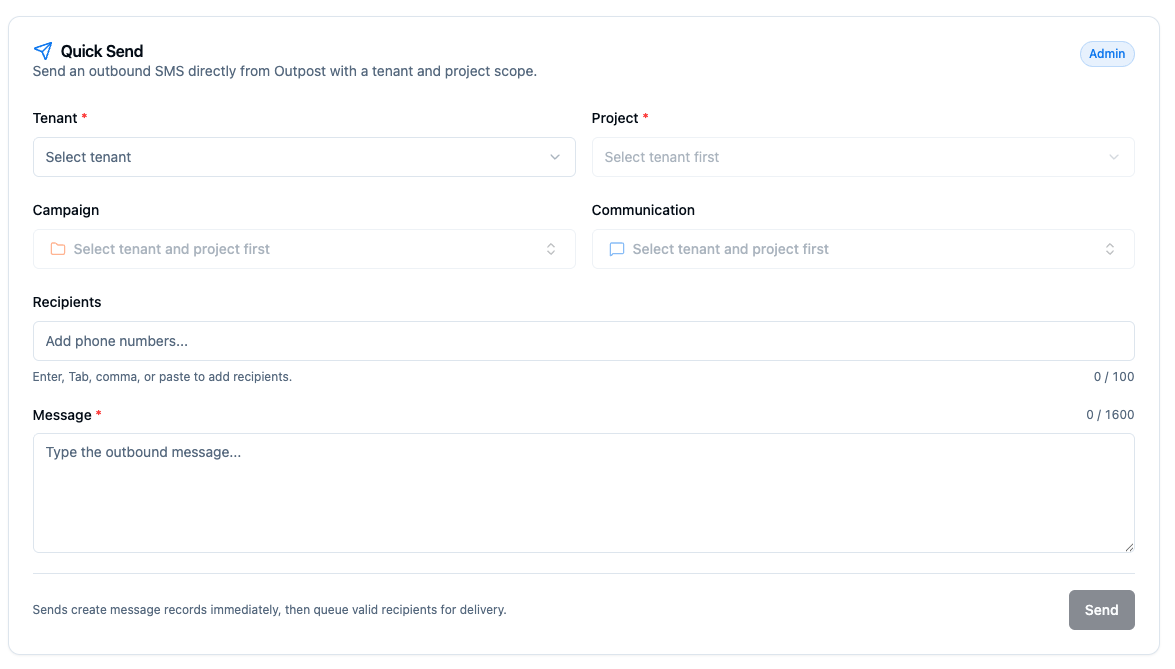
- Pick the tenant and project the send should be scoped to.
- Optionally attach it to an existing campaign and communication for grouping.
- Add up to 100 recipients (enter, tab, comma, or paste to add) and a message up to 1600 characters.
Campaigns
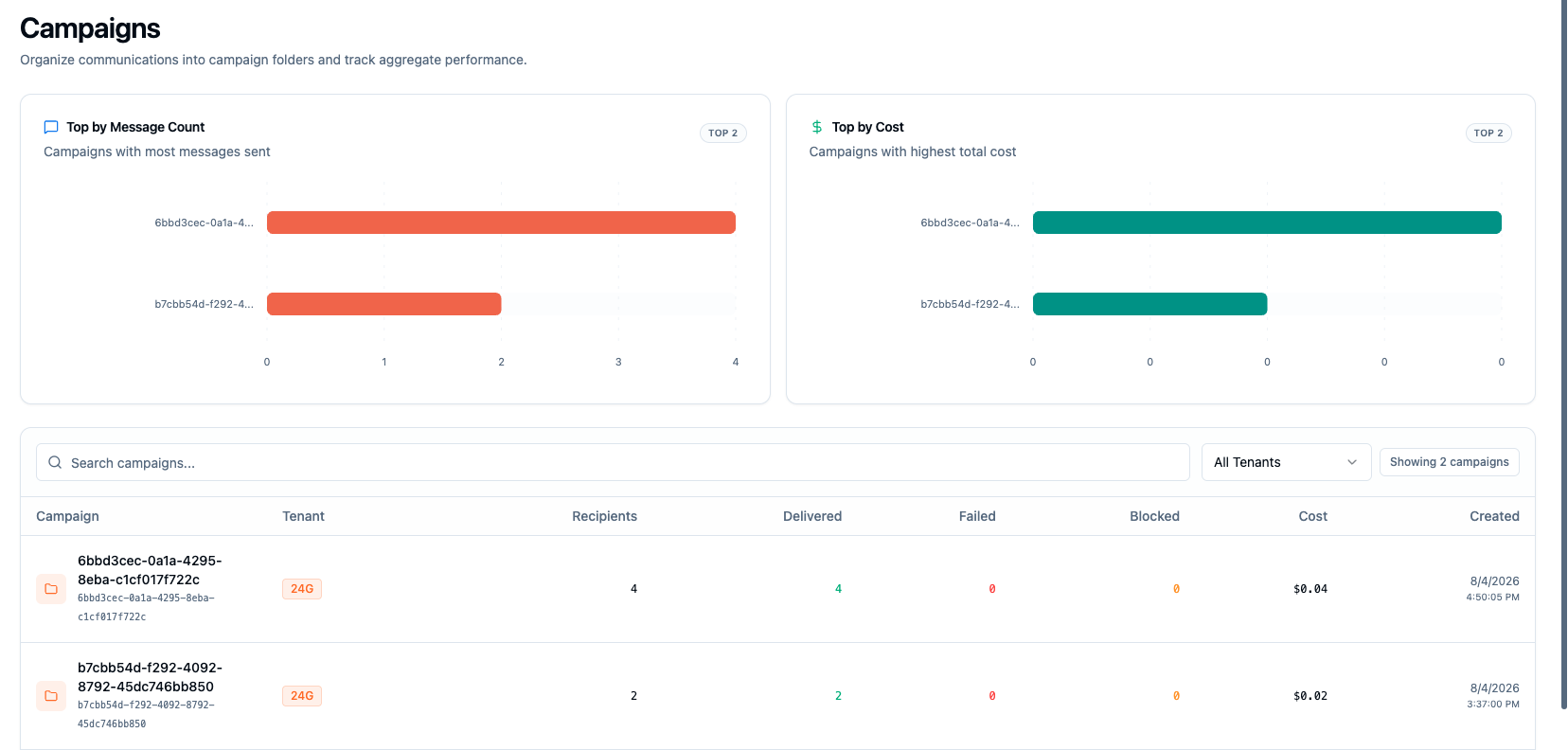
The Campaigns page ranks campaigns by message count and cost, with a searchable table showing each campaign's tenant and its aggregate recipients, delivered, failed, and blocked counts. Campaigns are folders: click one to see the communications inside it.
Inside a campaign
A campaign's page shows the accumulative activity stats at the top of all communications associated with it and a communication table at the bottom
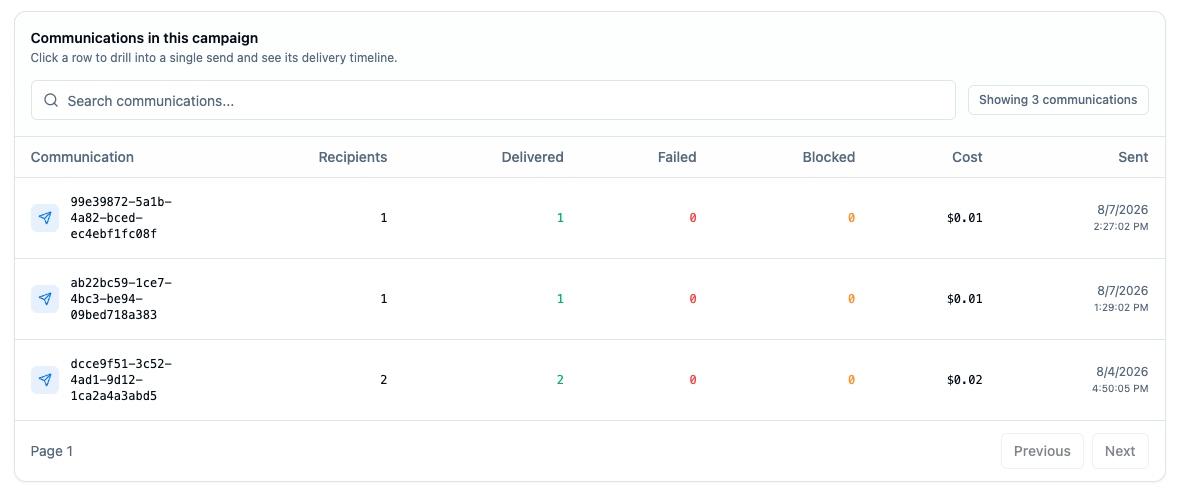
Communications
The Communications page is the same view one level down: every broadcast send across all tenants, filterable by tenant and searchable by ID.
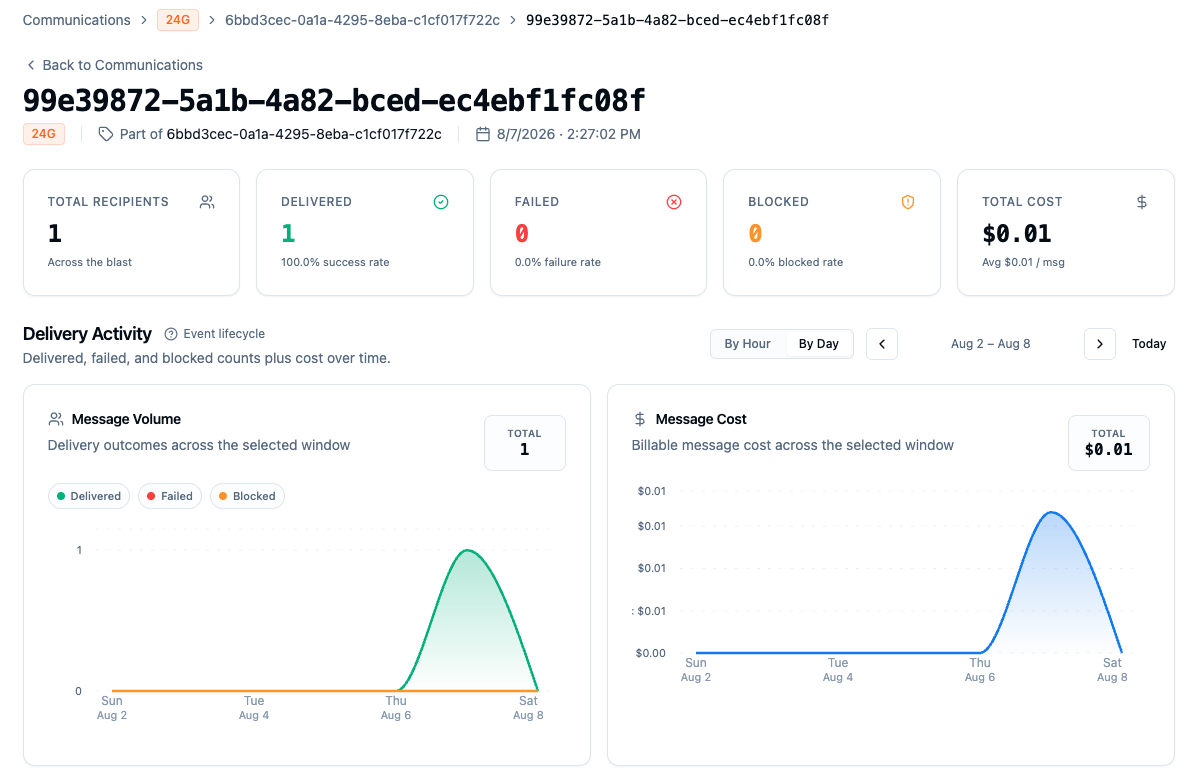
Inside a communication
A communication's page shows the outcome of that one broadcast: total recipients, delivered/failed/blocked counts with rates, total cost, and hour-by-hour delivery activity charts.
At the bottom, the recipients table lists every phone number in the blast with its status, billable message parts, cost, and send time:
Clicking a recipient opens that phone number's page, where you can see the full message and event history including webhook deliveries. Costs shown here roll up from per-part message pricing; see Cost Model.