 Outpost Docs
Phones & the Number Pool
Inspect any recipient phone number's validation, opt-out state, and full history, and view the sending-number inventory.
The dashboard gives you two phone-related views: Phone Numbers (the recipients Outpost has messaged, and their opt-out state) and Number Pool (the AWS-provisioned numbers Outpost sends from). The underlying model is covered in Phones & Opt-Out.
Phone Numbers
The landing page summarizes the phone inventory by messaging permission state (total, active, opted out) with the system-wide opt-out rate, above a table of every known phone. You can search by number and filter by status, country, or tenant. Each row shows which tenant(s) the phone belongs to and its current opt-in/opt-out badge.
Inside a phone number
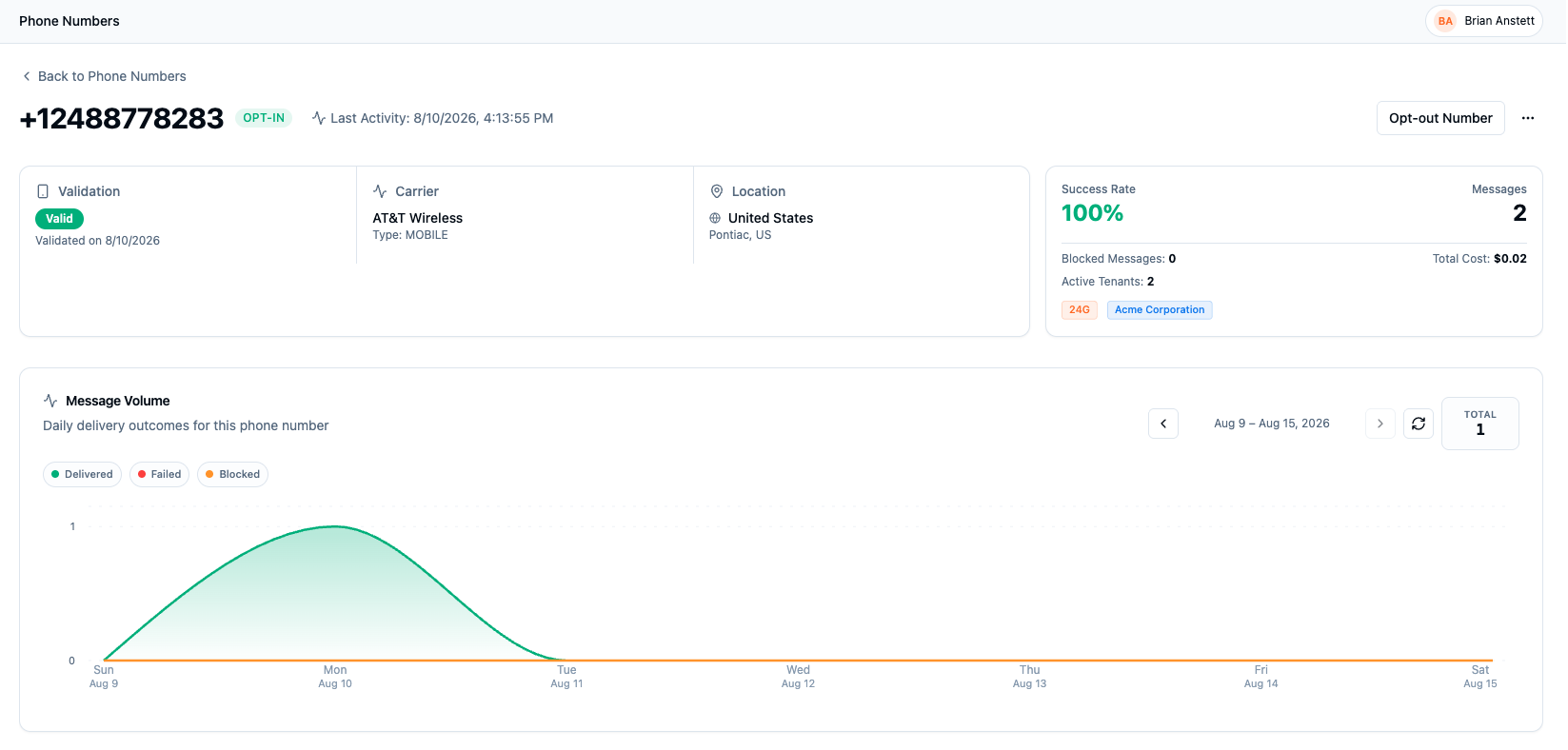
A phone's page answers "can we message this number, and what happened when we did":
- Opt-in / opt-out badge and last activity, next to the number itself.
- Validation: whether the number passed validation and when it was last checked.
- Carrier and type: for example Verizon Wireless / MOBILE, or a VOIP line, which affects deliverability.
- Location: country and region.
- Message Volume: daily delivered/failed/blocked outcomes for this number.
Message and event history
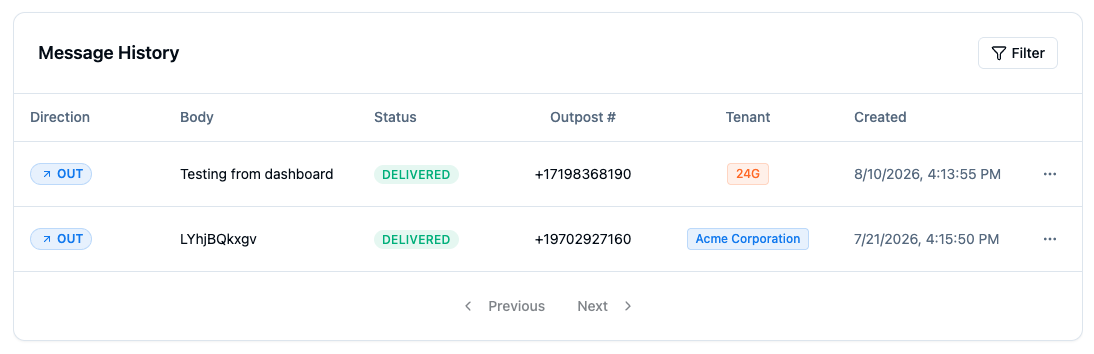
Below the charts are two tables:
- Message History: every message sent to this number, with direction, body preview, status, and the sending number.
- Event History: the raw event trail (
QUEUED,SENT,PROVIDER_ACCEPTED,DELIVERED,FAILED, and so on) with each event's payload details. A webhook icon on a row means that event was pushed to a subscriber; see Events and Webhooks.
This is the best first stop when someone asks "why didn't my text arrive": the event trail shows exactly how far the message got.
Number Pool
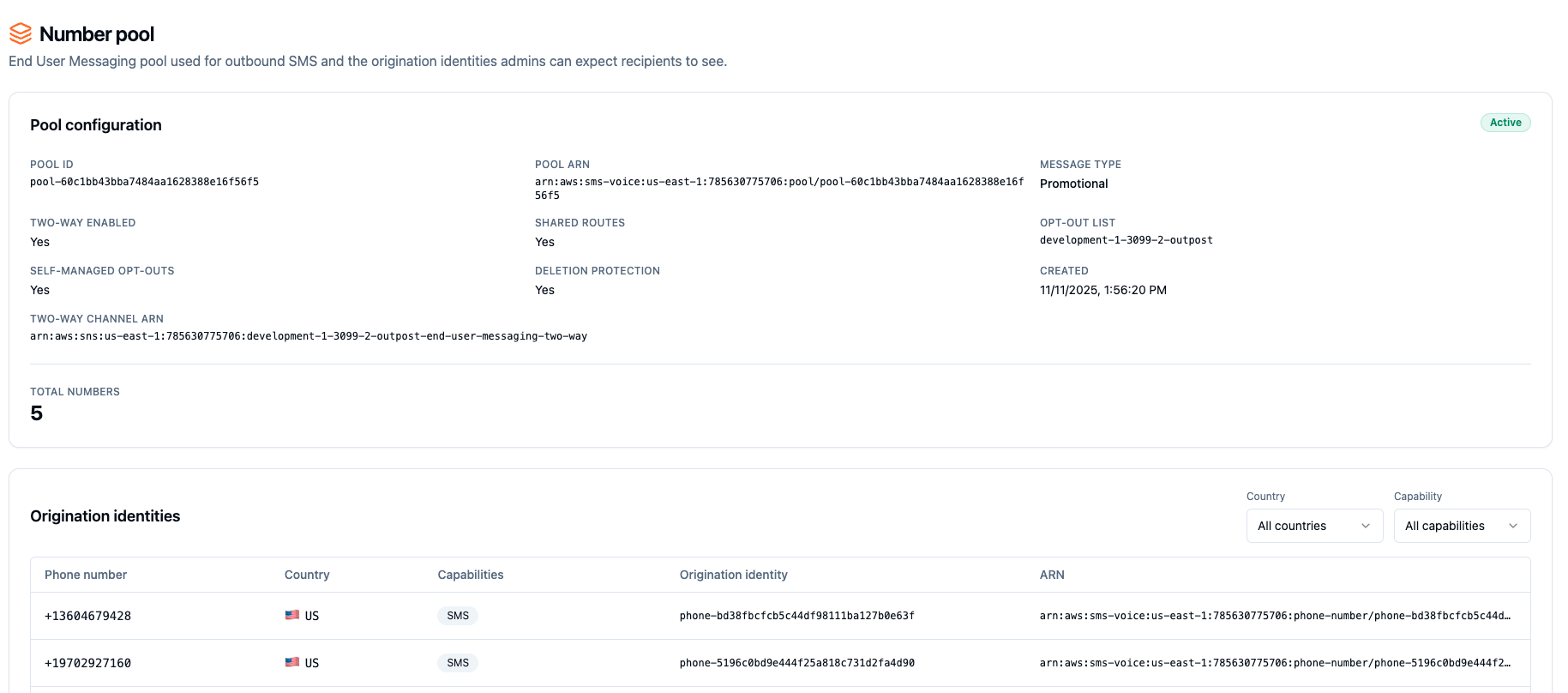
The Number Pool page is a read-only view of the AWS End User Messaging pool Outpost sends from: the pool ID and ARN, message type, whether two-way messaging and shared routes are enabled, self-managed opt-outs, and deletion protection. Below the configuration is the list of origination identities (the actual sending numbers) by country and capability.
This page is diagnostic rather than configurable: the pool is managed in AWS infrastructure, not from the dashboard.